How to Make Fake Text Message & Texting Story Videos with Voice (iMessage & WhatsApp-Style)
Want to make viral iMessage-style or WhatsApp-style fake text message videos and Texting Stories for TikTok, YouTube Shorts, and Instagram Reels—without thumb-typing on a tiny phone keyboard or paying $19/month before you can export a single clip? With ChatStoryStudio, you can build voiced fake group chat stories across 23+ UI styles directly in your desktop or mobile browser with automatic bubble scrolling, typing indicators (...), delayed read receipts, missed call & Gift / Action Card widgets, and 120+ expressive HD TTS voices across 4 languages (30+ English voices).
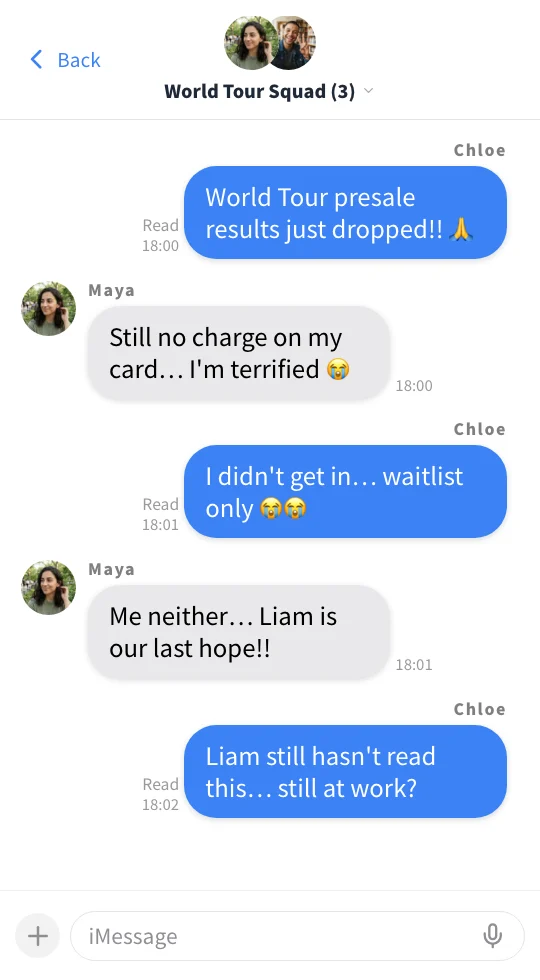
Sample Output: “Floor Seats Crew 🎸 (3)” — Soft Blue (iMessage-Style) + 3 expressive TTS voices + Missed Call & Gift / Action Widgets (Click video for audio)
Why Fake Text Message Videos Are Hard to Make — And How 4 Tools Compare
Until now, creators making fake text stories and texting story videos had to choose between slow mobile-only apps, paywalled faceless video platforms, or tedious manual keyframing in multi-track editors. Here is how ChatStoryStudio compares across every workflow metric.
| Feature / Workflow | ChatStoryStudio | Mobile Apps(TextingStory, etc.) | Paywalled Faceless SaaS(Crayo / Vsub) | Multi-Track Editors(CapCut / Premiere) |
|---|---|---|---|---|
| Supported Devices | Desktop & Mobile Browser (PC / Mac / iOS / Android) | Smartphone / Tablet App Only | Web Browser (Desktop-focused) | Desktop / Mobile App Install |
| Free MP4 Export Before Signup | Yes — Unlimited Free 1080p MP4 Exports (With Watermark, No Login) | Basic export only; voices & styles locked behind IAP | No — Hard paywall ($19–$29/mo) required to export | Free (Manual editing required) |
| Time to Build a 15-Bubble Video | ~1 to 3 Minutes (Auto-scroll & batch TTS sync) | ~15 Minutes (Thumb-typing & re-recording typos) | ~3 to 5 Minutes | ~45 to 60 Minutes (Manual Y-axis keyframes) |
Bulk Script Import (Name: Text) | Yes — Auto-parses speakers, avatars & voices | No (Must type 1 bubble at a time) | Basic 2-speaker import only | No (Must create each graphic layer) |
| Fake Group Chats & Speaker Limit | Up to 15 Speakers per Project | Usually limited to 2 speakers (Left / Right) | 2 speakers (1-on-1 only) | Manual positioning per speaker |
| Text-to-Speech & Emotion Control | 120+ expressive HD voices in 4 languages (30+ English) + emotion directives | Robotic OS voices or paid subscription voices | Preset TTS voices (No per-bubble acting prompt) | Must export & align external TTS files manually |
| Separate Slang / Emoji Reading | Yes — Independent Display Text vs. Spoken TTS Text | No (Reads emojis & typos literally) | No (Displays whatever is spoken) | Requires separate text & audio tracks |
| In-Chat Widgets & Transitions | Missed Call, Gift / Action Card, Polls, Clock Wipe, Shake & Confetti | Text & basic image only | Text & image only | Must design every card from scratch |
| Gameplay BG & Alpha Overlay | MP4 Video Background + True Alpha WebM Export (Pro) | No transparent export | Preset split/gameplay backgrounds only | Chroma key causes green-bubble spill |
| Starting Price (Watermark-Free) | $0 Free (with watermark) / $9/mo Lite (No Watermark) / $19/mo Pro | ~$4.99–$9.99/wk or monthly IAP | ~$19–$29/mo (No free export tier) | $0–$22.99/mo + 60 mins manual labor |
3 Ways to Create Fake Text Message & Texting Story Videos
Whether you already have a polished dialogue script, want to improvise line-by-line like a real text conversation, or want a complete starter skit generated from a single sentence, ChatStoryStudio lets you combine all 3 workflows on the same timeline.
Type Directly on the Intuitive Chat Timeline (Desktop & Mobile)
Select Soft Blue (iMessage-Style) or Tea Bubble (WhatsApp-Style) in the Style tab, click a speaker avatar, and type your message just like sending a real text. Hover or tap between any two bubbles to reveal the + insertion bar—letting you drop in a missed call, photo attachment, scene transition, or new line anywhere without re-recording the whole video.
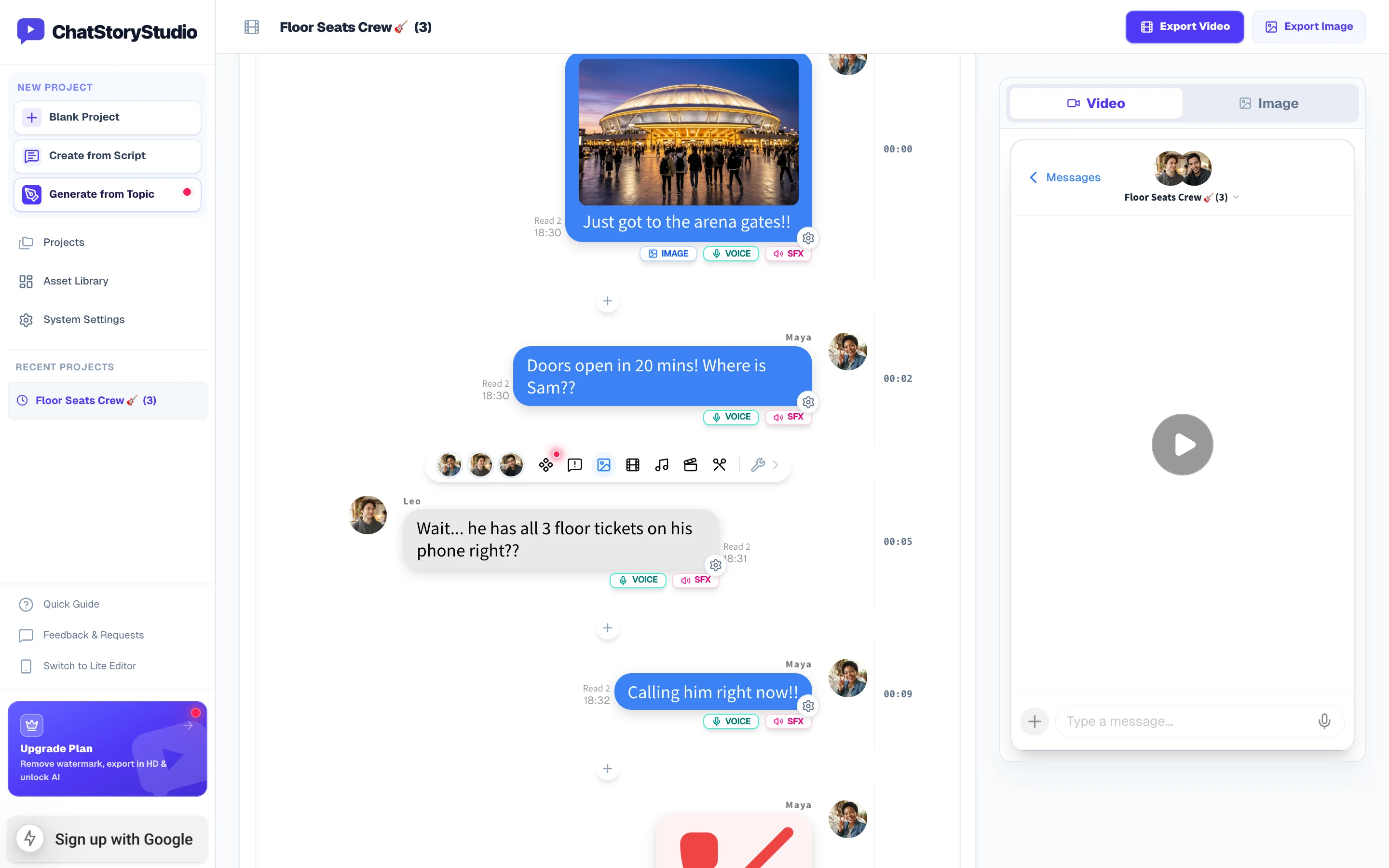
Desktop 3-Pane Studio: Edit the timeline in the center, tweak bubble/voice settings on the left, and preview the exact 9:16 vertical animation on the right.
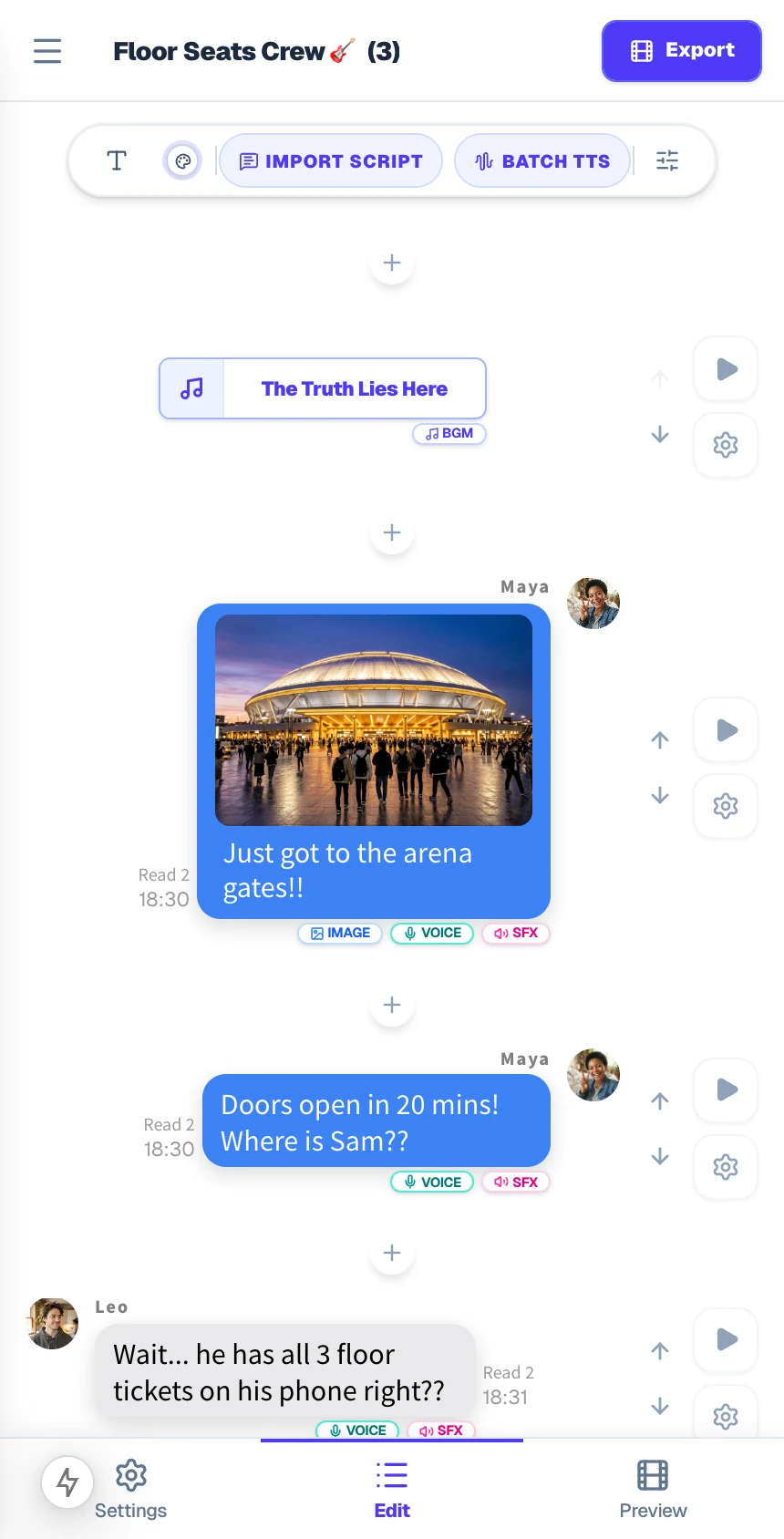
Mobile Lite Editor: Build, preview, and export 1080p MP4 videos directly in iOS Safari or Android Chrome.
Bulk-Paste Any Script ("Name: Message" Format, Up to 15 Speakers)
Stop typing 30 bubbles one by one on a smartphone screen. Click Import Script in the timeline header and paste any dialogue log written as Speaker: Message (plus [System]: ... for join or timestamp notices). ChatStoryStudio automatically extracts up to 15 distinct speakers for fake group chat videos, assigns left/right alignments, avatars, and character voices, and populates your timeline in one click.
Maya: Just got to the arena gates!!
Maya: Doors open in 20 mins! Where is Sam??
Leo: Wait... he has all 3 floor tickets on his phone right??
Maya: Calling him right now!!
Leo: Straight to voicemail... 💀
[System]: Sam joined the chat
Sam: I AM SO SORRY I JUST WOKE UP!! 😱
Sam: Sprinting from the station right now!!
Sam: Just send the QR codes before my heart stops 😭
Sam: VIP passes shared! Meet us at Gate B right now!! 🎉
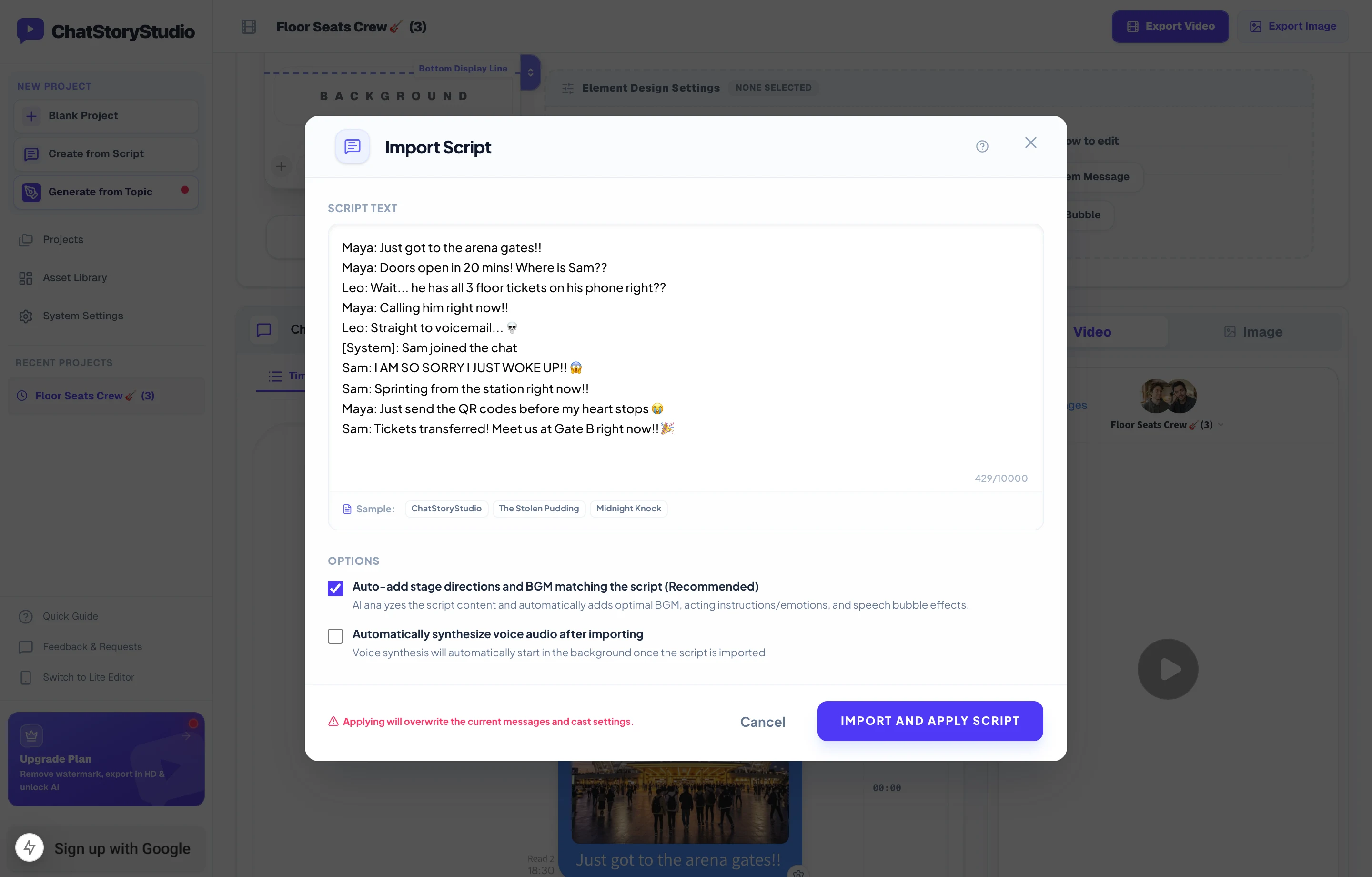
Paste scripts drafted in Notion, Google Docs, or ChatGPT/Claude—speakers, left/right bubble alignment, and system events are parsed automatically.
Generate a Multi-Speaker Fake Text Story from a 1-Line Prompt
Have a plot twist or comedy premise in mind? Enter a 1-line prompt below or click one of the starter ideas. You can preview complete scripts with music and visual effects instantly without an account (up to 3 free trial runs), or sign in with a free Google account to automatically synthesize expressive Text-to-Speech voices for every character.
4 Retention & Pacing Techniques for Fake Text Stories with Voice
On TikTok, Shorts, and Reels, viewers swipe away within 2 seconds if a texting video looks like a slow, silent wall of text. Compare the two videos below to see how 1-action-per-bubble pacing, in-chat widgets, and emotion-directed character voices transform viewer retention.
Wall-of-Text Bubbles & Silent Mechanical Intervals
Cramming 3 sentences into a single bubble with fixed 2-second pauses forces viewers to read paragraphs in silence—leading to immediate swipe-aways.
- • Long paragraphs take too long to read on vertical screens
- • No voice acting, sound effects, or visual pattern interrupts
- • Flat pacing with zero tension when the plot twist hits
1-Action-Per-Bubble + Widgets, Transitions & Expressive TTS
Splitting lines into punchy bubbles and layering a Venue Photo, Missed Call card, Clock Wipe transition, Screen Shake, and Gift / Action Card keeps the eye hooked every second.
- Silence-trimmed voice audio advances bubbles with zero dead air
- Missed Call, Clock Wipe & Gift / Action Card drive visual storytelling
- Screen Shake + Vine Boom & Confetti amplify the climax
Insert Pre-Styled Event Templates in 1 Click
Open the Templates picker in the timeline header to drop in pre-configured events—including Missed Call alerts, Action Cards, Clock Wipe time jumps, and Screen Shake / Confetti climax messages with matched sound effects.
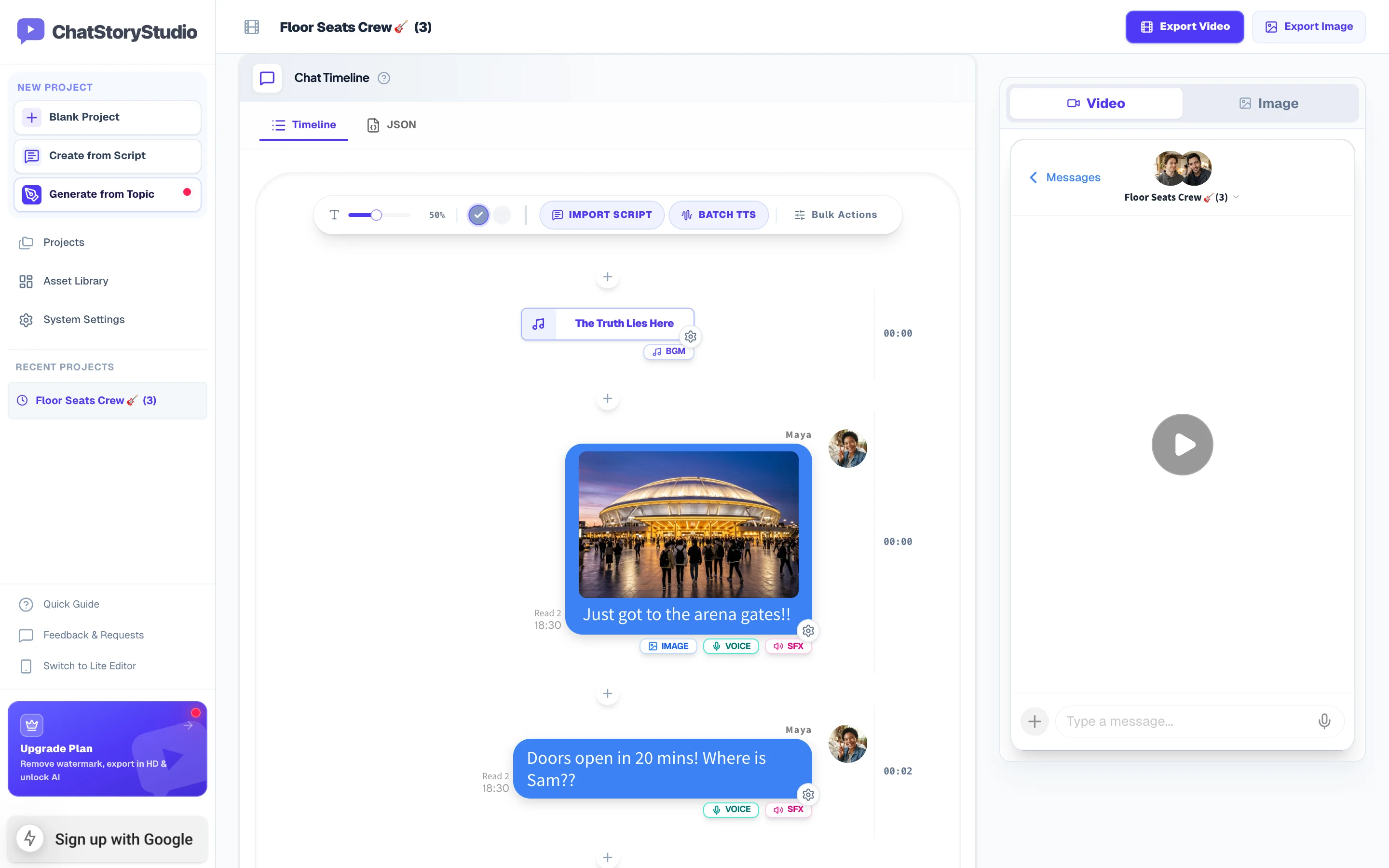
Tell the Story Through Missed Calls & Spoken Gift Card Memos
Instead of writing “I called you and sent pizza vouchers” in plain text, show a red Missed Call bubble and an interactive Gift / Action Card widget. Set the action card to Hide Bubble (Widget Only) with Speech ON so the character reads the memo (“Pre-show pizza is on me!”) out loud when the card pops up.
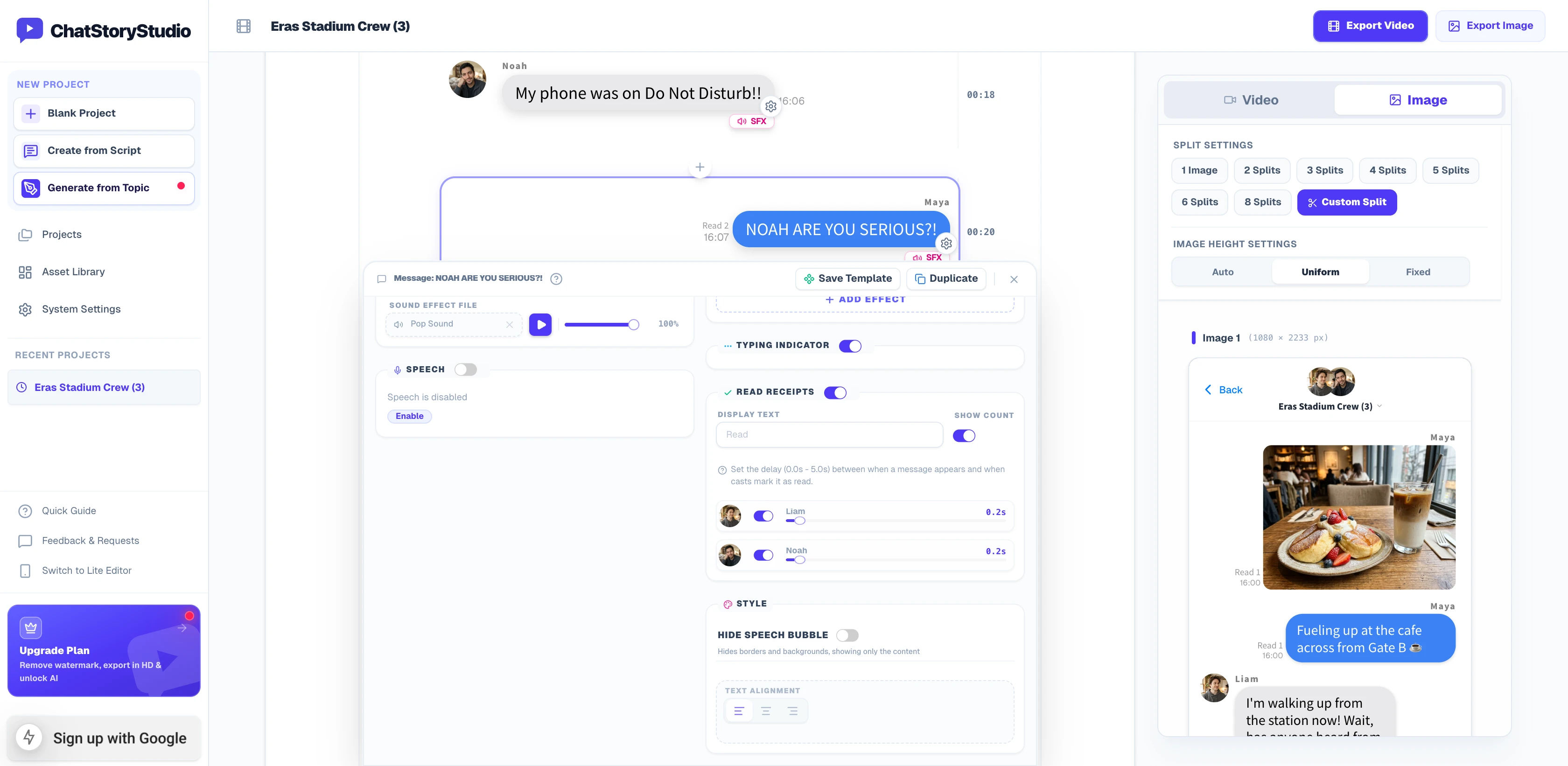
Separate Display Text from Spoken TTS & Direct Vocal Emotion
Keep authentic texting slang and emojis on screen (e.g., I AM SO SORRY I JUST WOKE UP!! 😱 or 20 mins) while giving the voice engine clean phonetic text without emoji names. Add natural-language Speech Style prompts (like “Panicking right after waking up late, speaking super fast”) across 120+ expressive HD TTS voices in 4 languages (30+ English voices).
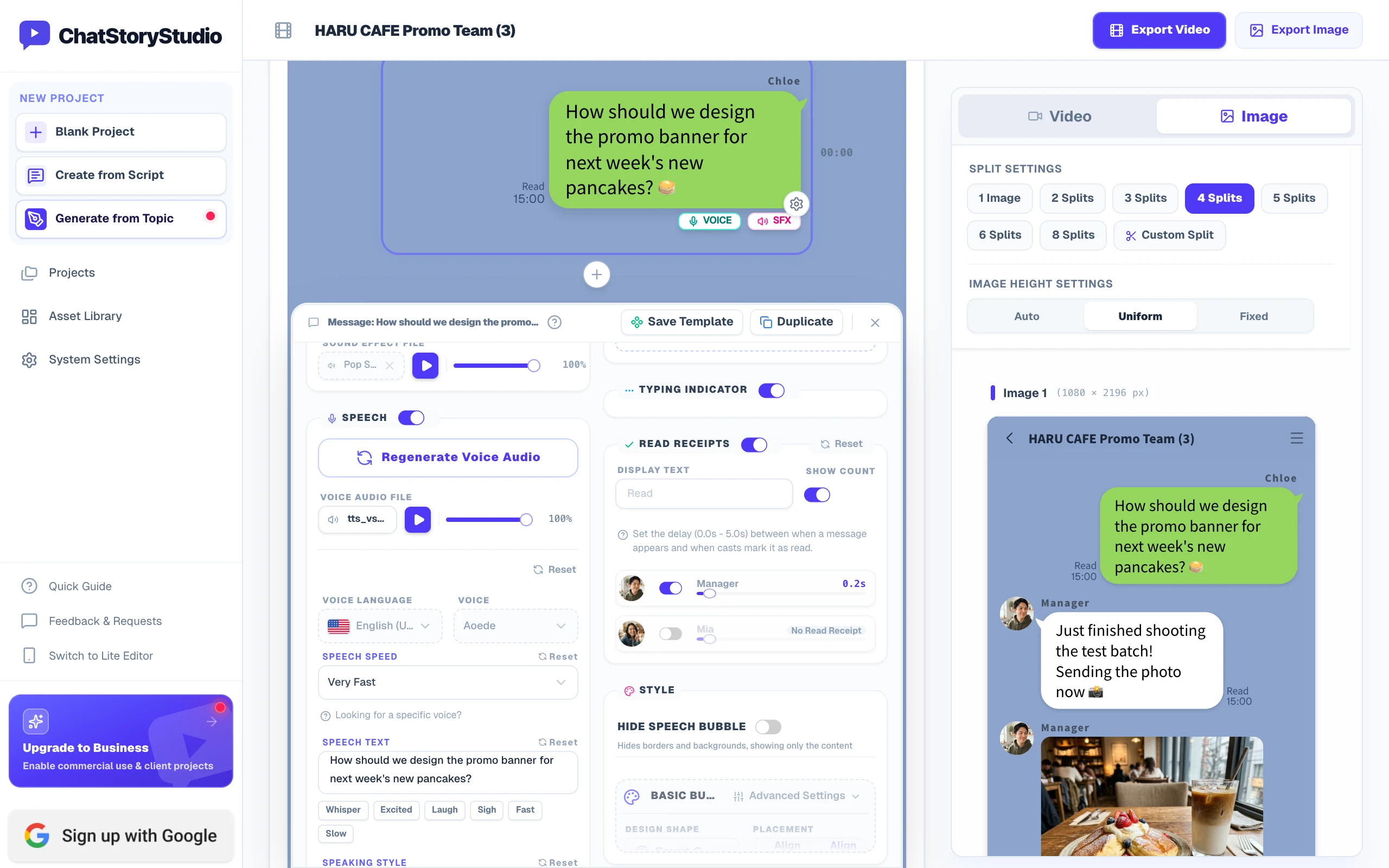
Composite Over Minecraft / Subway Surfers or Export Alpha WebM
Want to pair your iMessage-style or WhatsApp-style fake text story with satisfying gameplay or vlog footage? On the Pro plan ($19/mo), you can either upload up to 5 MP4 video clips directly as a dimmed background inside ChatStoryStudio, or hide the header/footer and export a true Alpha-Channel Transparent WebM for CapCut Desktop, Premiere Pro, and DaVinci Resolve—with zero green-screen spill on green bubbles.
Load up to 5 MP4 clips with crossfade & dark overlay right in your browser.
Frameless bubble overlay with crisp drop shadows and synced pop SFX + character voices.
One Script, Multiple Styles: iMessage-Style vs. WhatsApp-Style
Never re-record or re-type your story when switching platforms. Switch between Soft Blue (iMessage-Style) and Tea Bubble (WhatsApp-Style) in 1 click—complete with distinct headers, bubble tailoring, and double-check read receipts.
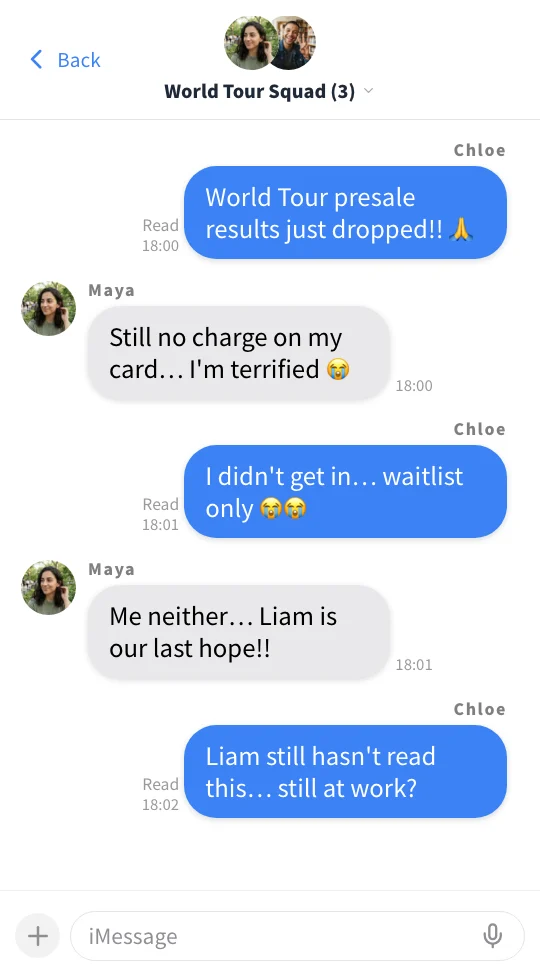
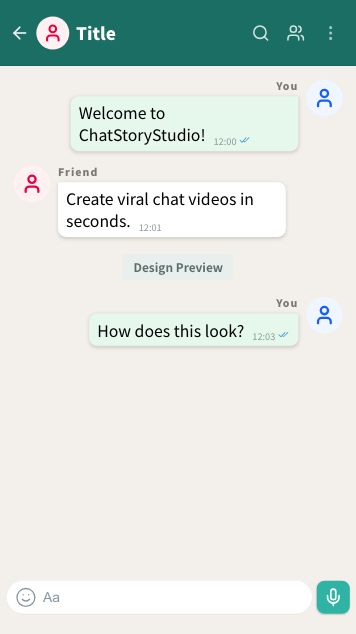
Switch Between iMessage-Style, WhatsApp-Style & 23+ UI Styles in 1 Click
Your script, speaker voices, and audio timings are completely decoupled from the visual skin. Switch instantly across 23 UI presets—including Soft Blue (iMessage-Style), Tea Bubble (WhatsApp-Style) with double-check read receipts, Romance Glass, Smart Green (LINE-Style), or Discord-style / X-style layouts—or customize every part and save your own My Themes preset.
iMessage Soft Blue
A refreshing blue style with a clean, translucent feel.
WhatsApp Teal
Sophisticated teal green inspired by global messaging apps.
ChatStoryStudio
Official signature theme featuring clean indigo accents.
Smart Green (LINE)
Ideal for everyday chat conversations and friendly casual stories. Simple white and green color scheme.
Customize Every UI Component & Save Your Own "My Themes"
Start from any official preset and fine-tune colors, fonts, headers, and bubble shapes to match your brand aesthetic.
Switch across 20+ header/footer designs, upload custom header graphics, or set to "Hidden" for frameless overlays
Choose solid colors, gradients, custom images, MP4 video backgrounds, or diagonally scrolling icon patterns
Customize left/right bubble colors, gradients, corner radii, bubble tails (ON/OFF), borders, and drop shadows
Switch fonts globally across modern sans-serif, serif, rounded, handwritten, and 8-bit pixel typefaces
Customize read labels ("Read", "Seen", double checkmarks), group read counts, and exact delay seconds before appearing
Save your customized color palette, background, and bubble styling as a reusable preset to apply in one click
Free vs. Paid Plans, Watermark Removal & Monetization Rules
Start creating and exporting 1080p MP4 videos for free with zero login required. Individual creators can monetize on YouTube, TikTok, and Instagram across all plans (including Free), and upgrade anytime to remove watermarks or unlock transparent overlays.
Unlimited 1080p MP4 & PNG/JPEG exports (with watermark). Sign in with Google for 2,000 free TTS credits & 3 prompt generations/day.
Removes watermark, unlocks 1.5x Ultra HD (1620×2880), 2,000 monthly TTS credits, 50 script imports/mo, and unlimited saved projects.
Adds Transparent Alpha WebM export, MP4 video backgrounds, custom audio uploads, 60,000 monthly TTS credits, 100 script imports/mo, and unlimited saved projects + .csbackup files.
400,000 monthly TTS credits, 1,000 script imports/mo, 800 prompt generations/mo, and commercial licensing for corporate marketing accounts, ad creatives, and client agency deliverables.
Frequently Asked Questions (FAQ)
Create Your First Fake Text Message Video in Minutes
No app download or credit card required. Type on the timeline, paste a 15-speaker group chat script, or generate from a 1-line prompt right in your browser.
Workflow & Cost Comparisons vs Other Tools
Related Use-Case & How-To Guides
* Product and company names such as "iMessage" (Apple Inc.), "WhatsApp" (WhatsApp LLC), "X" (X Corp.), "YouTube" (Google LLC), "Discord" (Discord Inc.), "Slack" (Slack Technologies, Inc.), "ChatGPT" (OpenAI OpCo, LLC), and "LINE" (LY Corporation) are trademarks or registered trademarks of their respective holders. ChatStoryStudio is an independent parody/mockup studio and is not affiliated with, sponsored by, or endorsed by any of these companies.